
Mechanical Keyboard Switches: How to Choose – Complete Guide 2025
Are your fingers hurting after hours of typing or gaming, or maybe your gaming response time feels off even with a new keyboard? The real issue might not be your hands or the keyboard; in fact, it is the mechanical keyboard switches inside it.
Most people do not realize this, but switches decide how your keys feel, sound, and respond. Choosing the wrong switch can lead to frustration, slower performance, or even hand strain over time.
In this guide, I will tell you about mechanical keyboard switches in a way that is easy to understand. You will learn from linear to tactile to clicky switches, what makes each type different, what they are best for, and how to pick the right one for your needs.

What are Mechanical Keyboard Switches?
Mechanical keyboard switches are small parts under each key that control how the key feels and works when you press it. Each switch has its own spring and moving parts that make typing feel smooth, clicky, or soft depending on the type.
These switches last longer and respond faster than regular rubber dome keys. People use them for gaming, typing, and everyday tasks because they give better control and comfort.
Main Types of Mechanical Switches
Mechanical keyboards use different types of switches to give unique typing experiences. The three main types are Linear, Tactile, and Clicky. Each one feels and sounds different, so it is important to know how they work before choosing.
Linear Switches
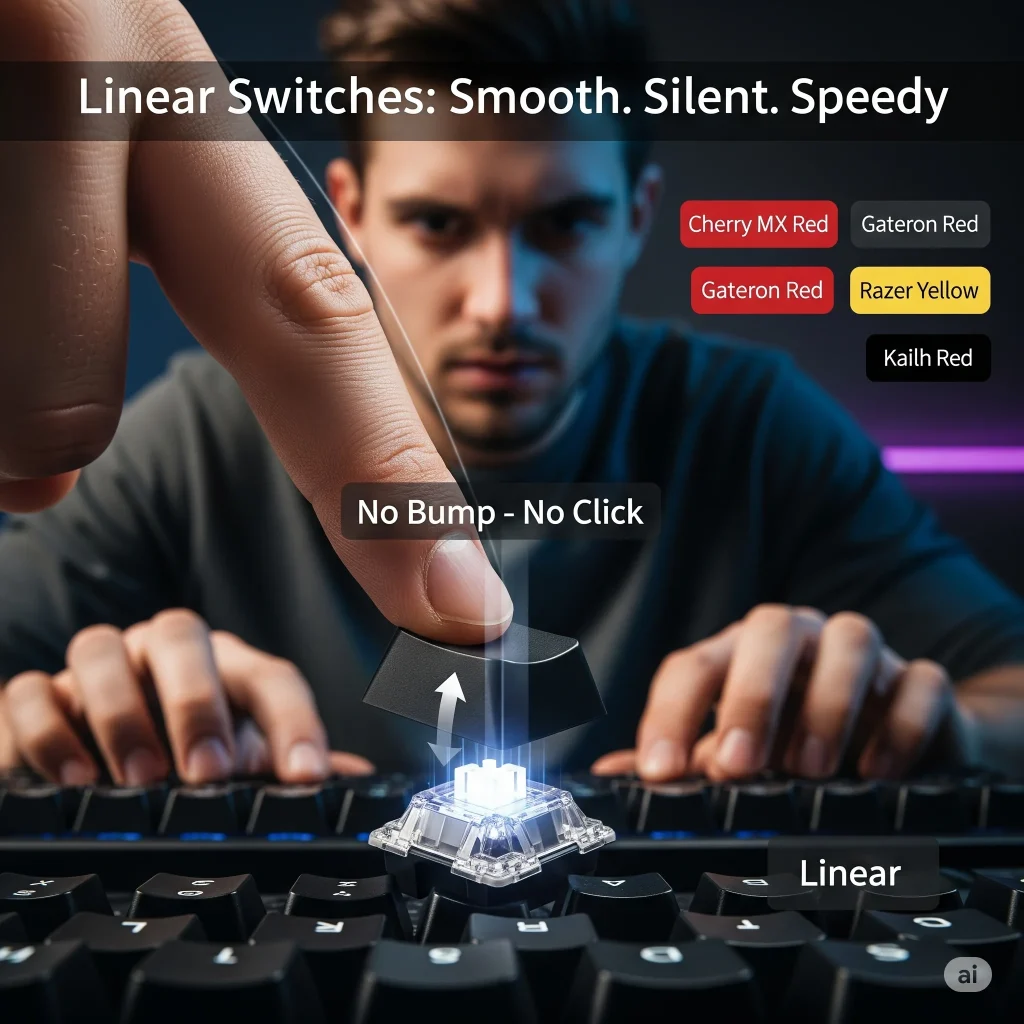
Linear switches move straight down with no bump or click. They feel smooth and quiet from top to bottom. These switches are great for gamers who need fast key presses without any feedback slowing them down.
Popular examples
- Cherry MX Red
- Gateron Red
- Razer Yellow
- Kailh Red
Tactile Switches
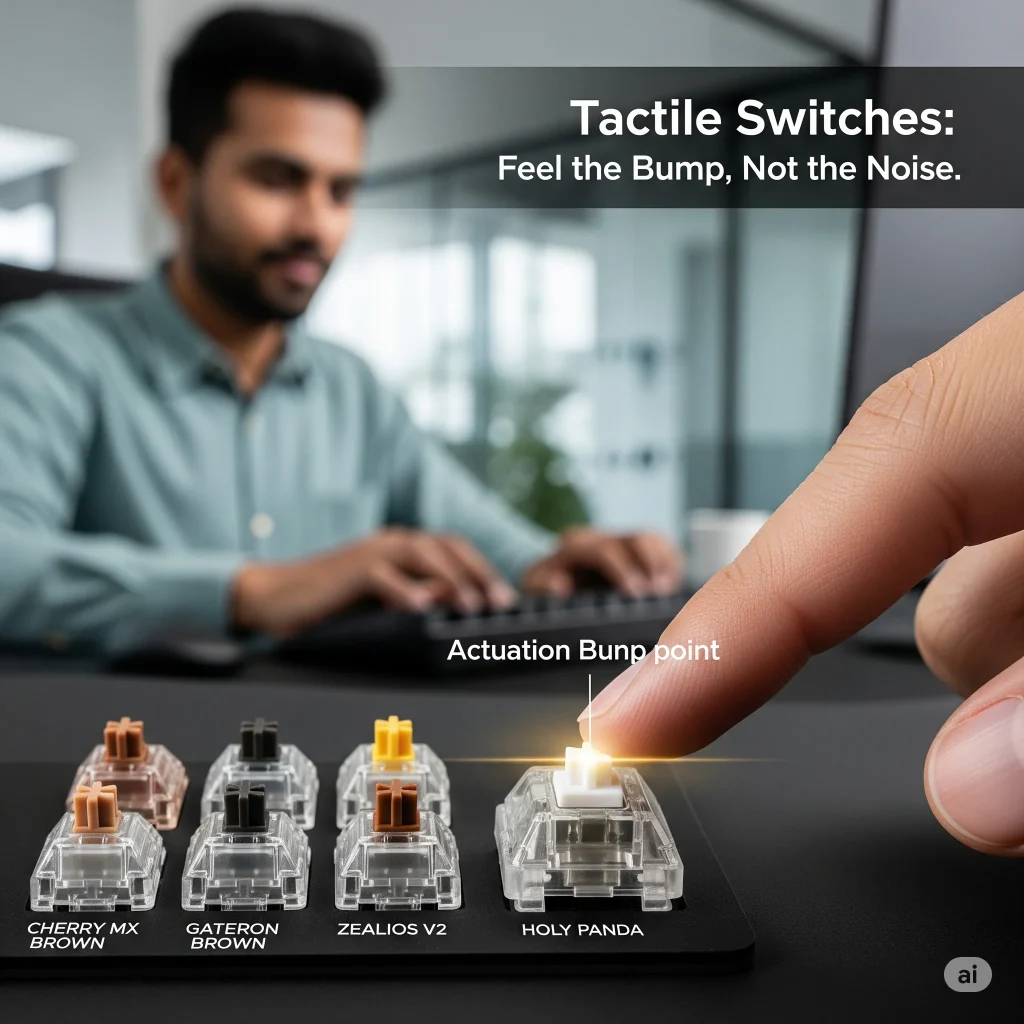
Tactile switches give a small bump when you press the key. This bump tells your fingers the key press has worked. It helps to improve typing speed and accuracy without being loud. Many office workers and writers prefer tactile switches for comfort and feedback.
Popular examples:
- Cherry MX Brown
- Gateron Brown
- Zealios V2
- Holy Panda
Clicky Switches
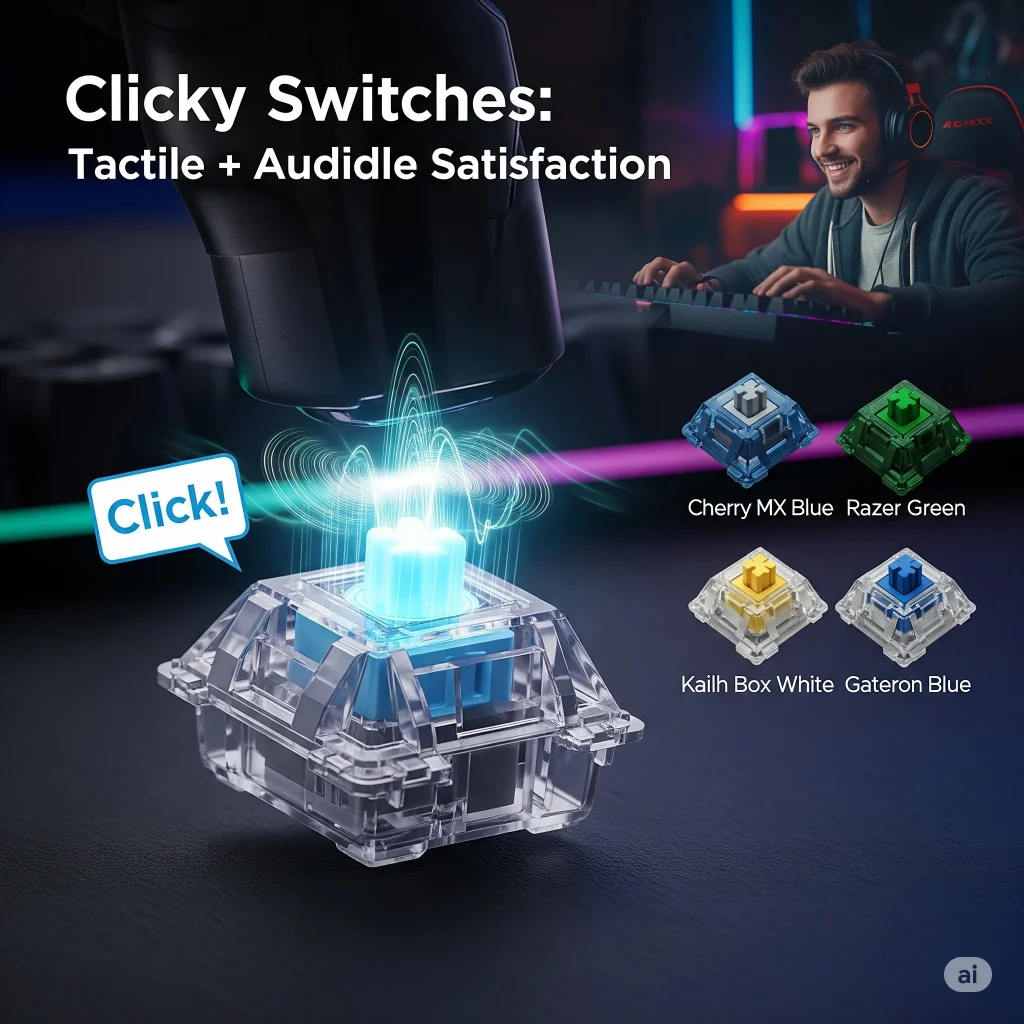
Clicky switches feel like tactile switches but also make a loud “click” sound when the bump happens. This sound gives extra feedback, which some users find satisfying. These switches are fun to use but may be too noisy for shared or quiet spaces.
Popular examples:
- Cherry MX Blue
- Razer Green
- Kailh Box White
- Gateron Blue
Best Keyboard Switches 2025
Choosing the best keyboard switch depends on what you need, whether it is for gaming, typing, or everyday use. Some switches are fast and quiet, while others are clicky and give strong feedback. In this section, I will explore the best switches for different purposes, so you can find the one that feels just right for you.
Cherry MX Red
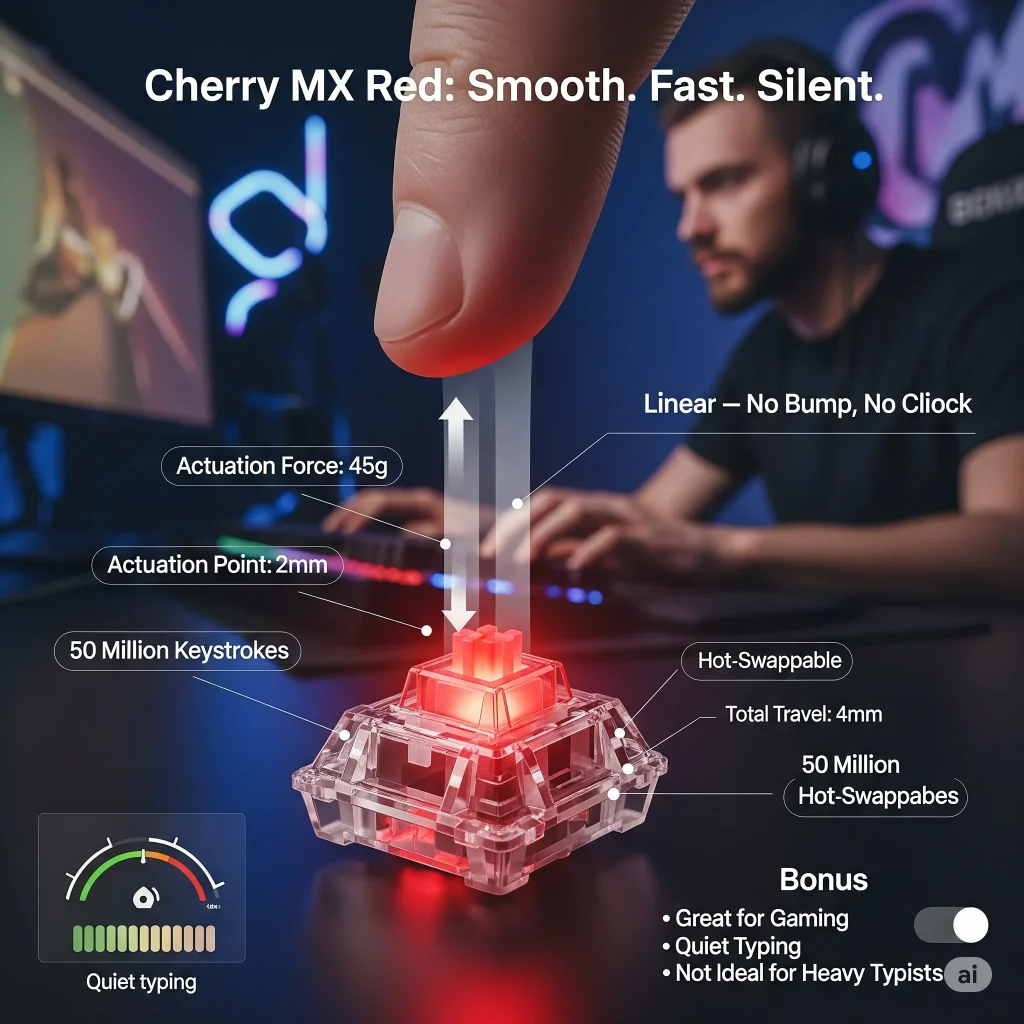
Cherry MX Red switches are linear mechanical switches. They press down smoothly without any bump or click. They need just 45 grams of force to activate, which makes them light and fast. That is why many gamers prefer them, as they help with quick repeated key presses.
These switches have a total travel distance of 4mm and an actuation point at 2mm, which means they register the keypress quickly. They also last a long time, up to 50 million keystrokes. Because they do not make much noise, so they are good for both gaming and quiet workspaces.
Cherry MX Red switches are also hot-swappable, which means you can change them on supported keyboards without soldering. Their smooth, quiet action is great for gaming and casual typing, but some typists may find them too light, which can lead to accidental presses.
Boba U4T
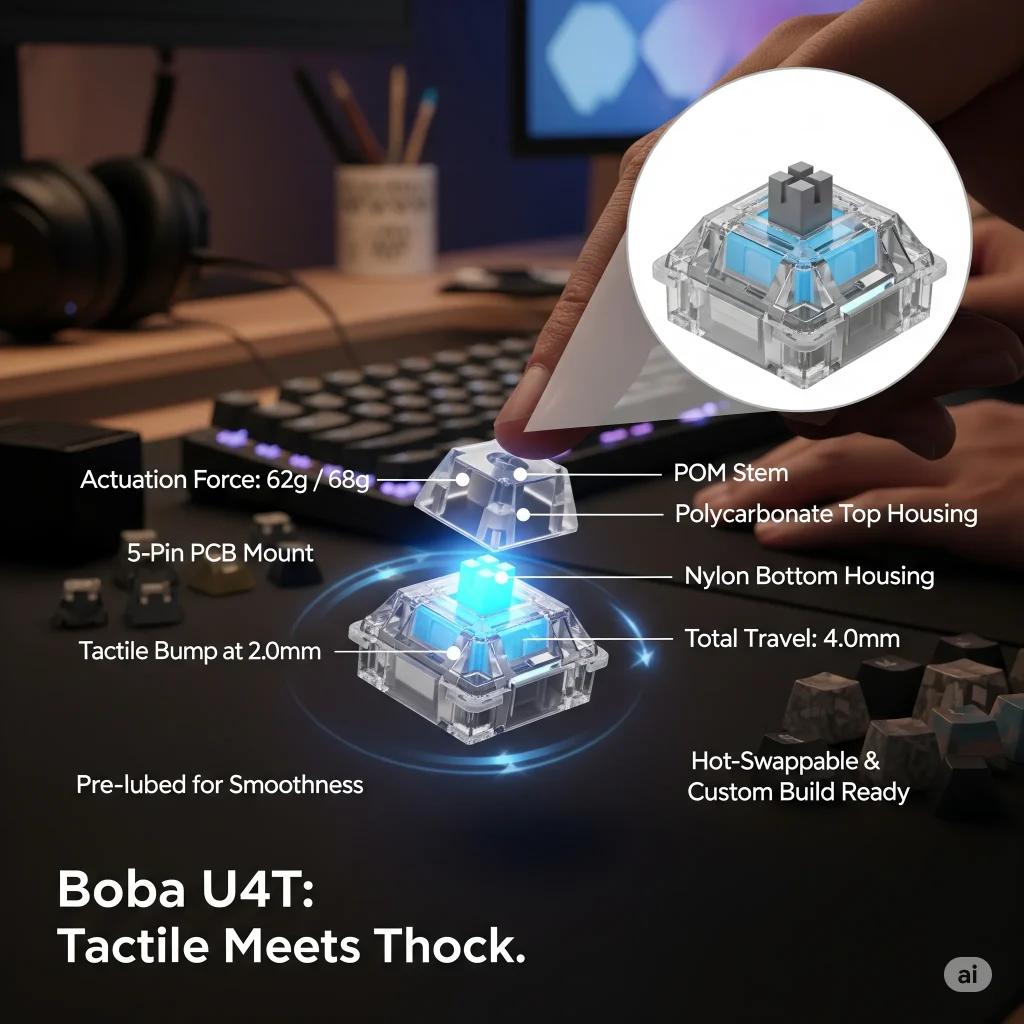
Boba U4T switches are tactile switches known for their smooth bump and deep “thocky” sound. The name stands for “U4 Silent” stem and “T” for thocky. These switches are built for those users who love strong feedback without the sharp click.
They have an actuation force of around 62g or 68g, depending on the version you choose. The total travel distance is 4.0mm, with the bump felt at about 2.0mm. Boba U4Ts use high-quality POM stems, polycarbonate top housing, and nylon bottom housing, which together create a deep sound and sturdy feel.
They are pre-lubed for smoothness, compatible with most hot-swappable keyboards, and have a 5-pin PCB mount, which makes them ideal for custom builds. If you want a quiet but tactile switch that feels solid and sounds premium, then Boba U4T is a top choice.
Gateron Brown Pro
Gateron Brown Pro is a tactile switch. It gives a small bump when you press the key, so you know the key has been registered. It does not make a loud click, which makes it a good middle ground between smooth and clicky switches.
These switches need about 55g of force to press. The bump helps you to type more accurately without being noisy. That is why many office workers and writers like Gateron Brown Pro, as they feel soft but still give feedback.
They also last a long time and work well for both typing and light gaming. They are smoother than older versions, with improved durability and better build quality. You can use them on hot-swappable keyboards easily.

Holy Panda
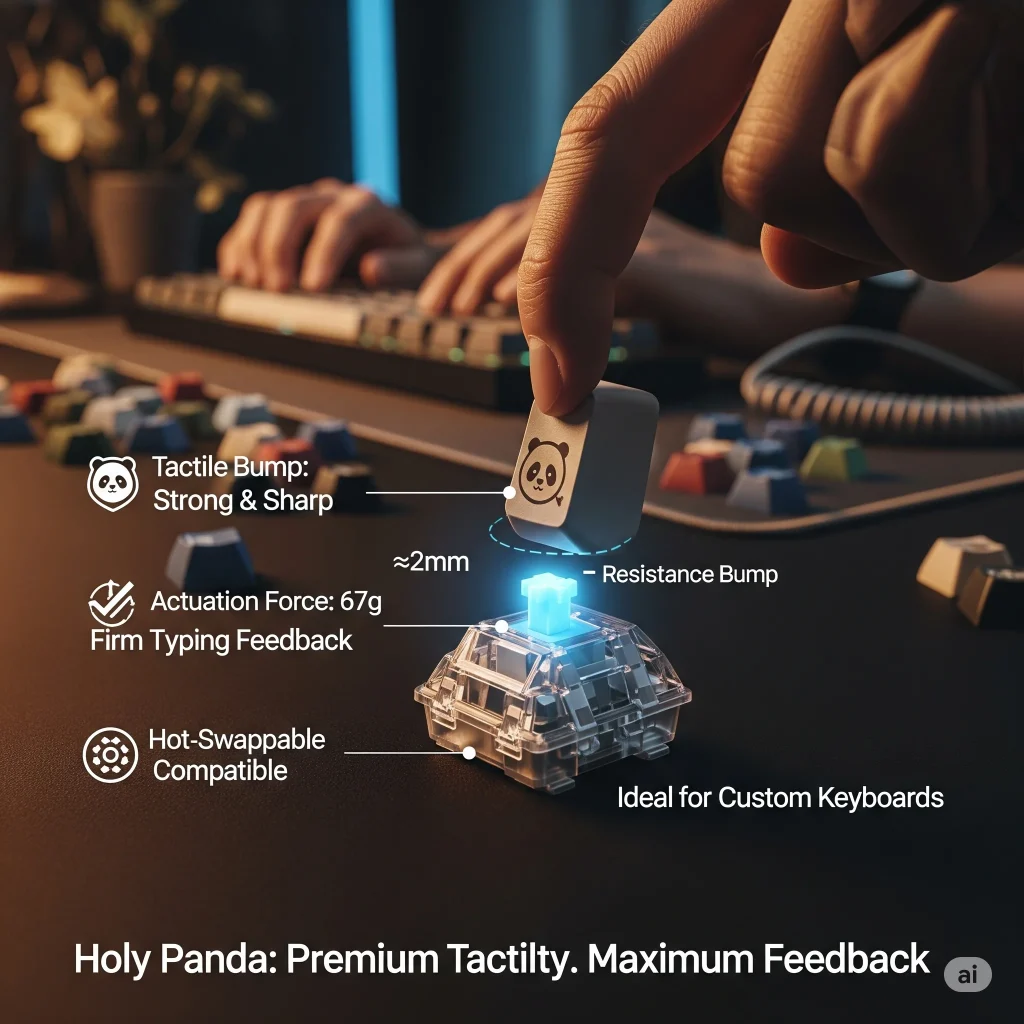
These are known for their strong tactile bump. They do not click loudly, but the bump is sharp and noticeable. This makes them popular with people who like a responsive feel while typing.
They require around 67g of actuation force, so they feel heavier than most switches. The typing experience is firm and satisfying, which makes Holy Pandas ideal for heavy typists or those who want precise control over their keys.
These switches are premium and often used in custom keyboards. They are not the quietest, but they offer a very high-quality, tactile typing experience. They also work with many hot-swappable boards.
Akko Jelly Purple
If you are looking for a switch that blends smoothness and feedback, then the Akko Jelly Purple is a great option. It is a tactile switch, which is designed to give a light bump without being too loud or heavy.
The switch needs 40g of force to actuate and has a 56g bottom-out force, which makes it lighter than many tactile switches. It has a total travel distance of 4.0mm and actuates at 1.9mm, which offers fast, responsive typing.
What makes Akko Jelly Purple stand out is its pre-lubed design and dustproof stem, which keeps dirt out and improves stability. It also features a transparent housing with a light purple tint, which is perfect for keyboards with RGB lighting.

Kailh Box White
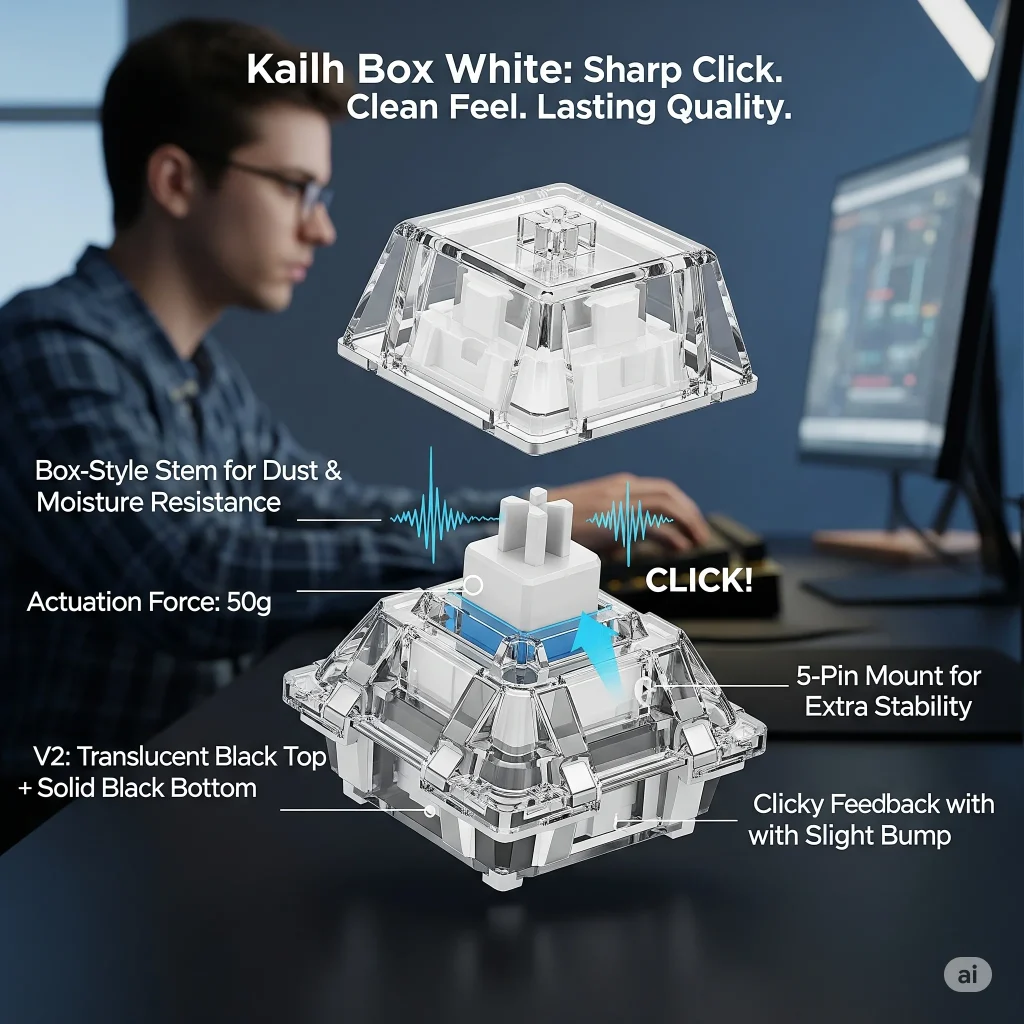
It is a clicky switch made for those people who love both sound and feel. It gives a clear, sharp click with a slight bump as you press the key. It is not too heavy, needing just 50g of force, which makes it easy to press quickly.
Thanks to its box-style stem, it stays dust and moisture-resistant, which means it lasts longer and performs better over time. The updated Box V2 switches feature a translucent black top cover, a solid black bottom housing, and a 5-pin positioning design for better stability.
Many users say it feels more stable and less wobbly than standard clicky switches. It is great for typists who enjoy clicky feedback without being overly loud.
Factors to Consider When Choosing the Mechanical Keyboard Switches
You should remember that not all mechanical switches feel the same. Some are soft and smooth, and others are loud and bumpy. The best switch depends on how you type, what you use your keyboard for, and what kind of feel you like. Before you buy a switch, it is important to know what really matters.
These key factors will help you to choose the right mechanical keyboard switch.
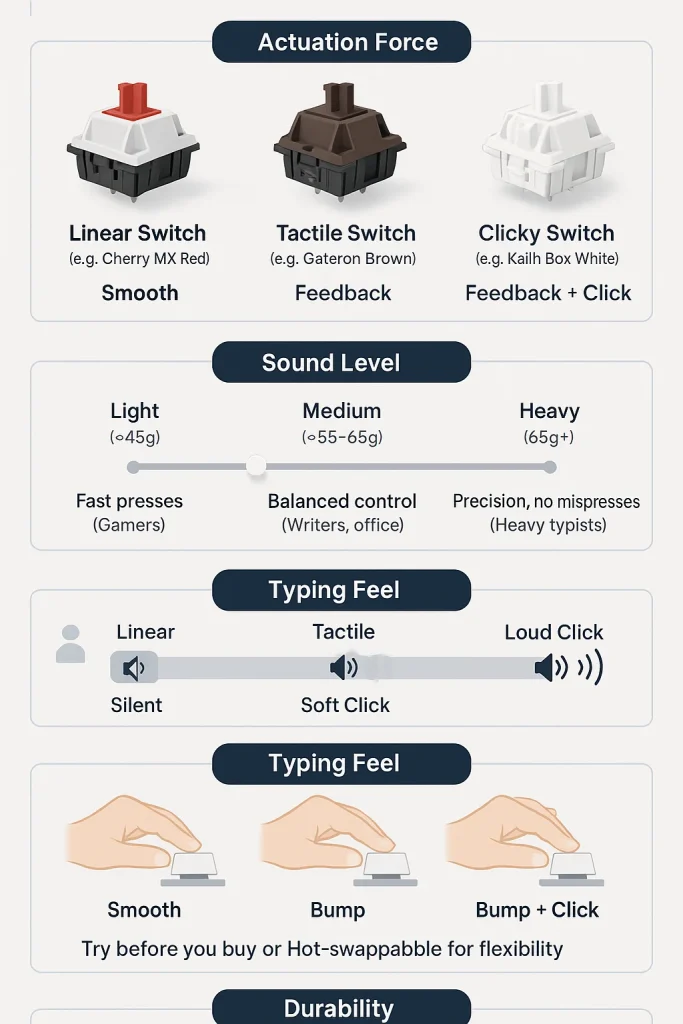
This is the most important factor. Mechanical switches come in three main types: linear, tactile, and clicky.
- Linear switches feel smooth with no bump or sound.
- Tactile switches give a small bump for feedback.
- Clicky switches give both a bump and a click sound.
Actuation force means how much pressure you need to press the key.
- Light switches (around 45g) are easy to press and feel fast.
- Medium switches (around 55g–65g) give more control and reduce mistakes.
- Heavy switches (above 65g) are harder to press but help prevent accidental presses.
Gamers often go for light switches to move faster. Typists sometimes choose medium or heavy ones to feel more in control.
Mechanical switches can be loud or quiet depending on their type.
- Linear switches are the quietest.
- Tactile switches make a small sound due to the bump.
- Clicky switches make a loud “click” sound.
If you are in a shared room or office, then quieter switches like linear or silent tactile are better. If you work alone and enjoy feedback, then clicky switches can be more fun.
The feel of a switch matters a lot. Some people prefer a smooth, fast press. Others like a firm key that tells them when it has registered.
- If you like a smooth press, then go for linear switches.
- If you want to feel the bump, then choose tactile switches.
- If you want to feel and hear the press, then try clicky switches.
It is best to test a few switches if you can, or choose a hot-swappable keyboard to change them later.
Mechanical switches are made to last.
- Most good switches can handle 50 to 100 million keystrokes.
- Brands like Cherry, Gateron, and Kailh are known for strong, long-lasting switches.
If you use your keyboard daily for typing, gaming, or work, then durability is a major factor to keep in mind.
Not all switches fit every keyboard.
- Some keyboards support hot-swappable switches. You can pull them out and change them easily.
- Others need soldering, which is harder and permanent unless you desolder them.
Also, check if the switches are 3-pin or 5-pin. You should make sure that they match your keyboard’s socket type.
Final Thoughts
In my personal suggestions after exploring all the switch types, if you type a lot, then I recommend starting with tactile switches, as they give great feedback without being too loud. If you are into fast-paced gaming, then go for linear switches because they are smooth and quick.
But if you love the classic “click” sound, then clicky switches might feel the most fun. Just make sure to choose a switch that fits your daily use, hand comfort, and noise level. Trust me, the right switch can make your keyboard feel ten times better.