
If your games or computer programs feel slow, even when you have a powerful graphics card or lots of RAM, then the real problem might be your CPU bottlenecking. This happens when your processor can not keep up with the other parts of your computer.
I have personally dealt with this issue when I upgraded my graphics card, but did not change my older CPU. At first, I expected everything to run smoothly, but some games still lagged or did not reach high frame rates.
That is when I learned about CPU bottlenecking. It is a common problem, especially when you mix old parts with new ones. The good news? Once you understand how it works, then it becomes easier to spot and fix. In this article, I will tell you everything about CPU Bottlenecking.
What Is a CPU Bottleneck?
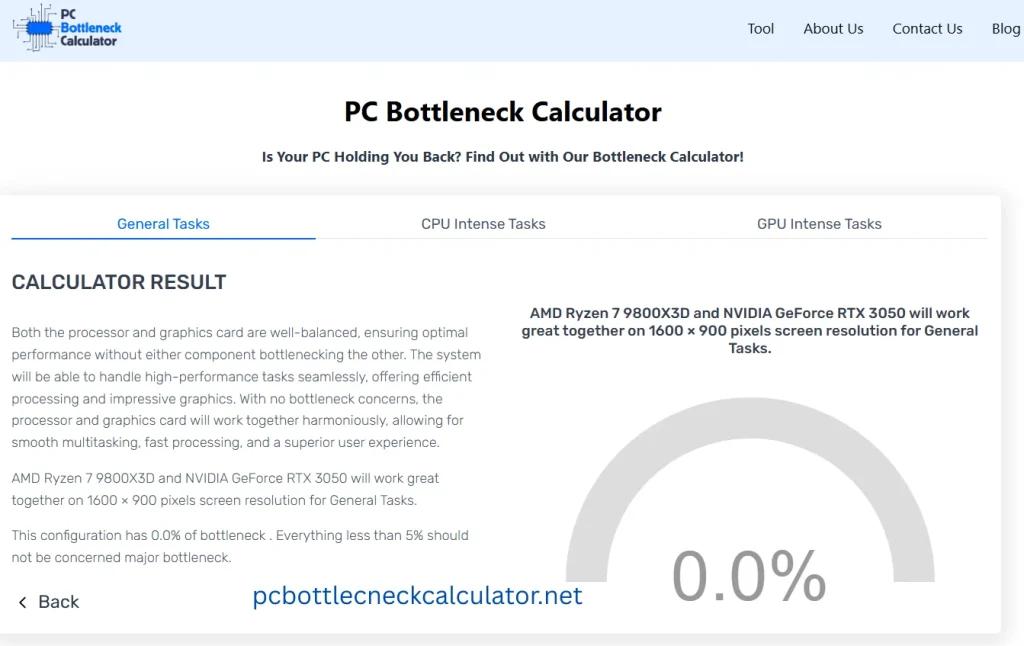
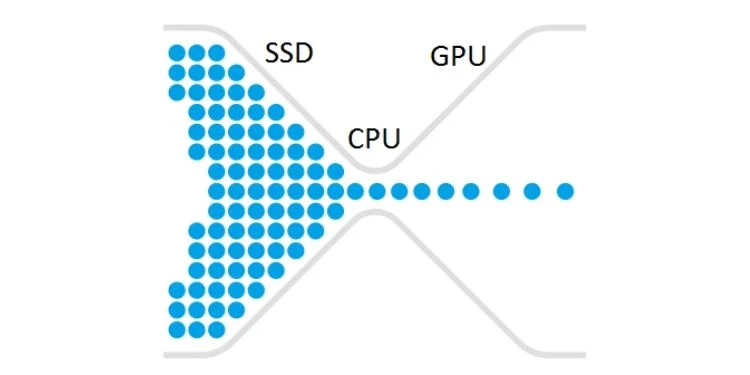
A CPU bottleneck happens when your processor is working too hard and can not keep up with the rest of your computer, especially the graphics card. This means the CPU becomes the slowest part, which makes the whole system lag.
Bottlenecking mostly occurs when you pair a very strong GPU with a weaker CPU. The GPU waits around for the CPU to finish its tasks, which causes low frame rates in games or slow performance in heavy apps. So, no matter how powerful your other parts are, if the CPU can not handle the workload, then your system will not run at full speed.
Common Causes of CPU Bottlenecking
There are many reasons why a CPU bottleneck happens. Most of the time, it is because the CPU is weaker or older compared to the other parts of your computer. I will tell you some common causes here:
- Old or Weak CPU: If your processor is outdated or not powerful enough, then it can not handle modern games or apps that need fast processing.
- High-End GPU with Low-End CPU: If you are using a very powerful graphics card with a weak CPU, then it makes the GPU wait for the CPU to catch up, which causes lag or low FPS.
- Background Programs: If you run too many programs at once, like browsers, antivirus, or updates, then you can overload your CPU, which leaves less power for gaming or other tasks.
- Poor Cooling or Overheating: If your CPU gets too hot, then it slows down to protect itself, which can cause bottlenecking.
- Low Thread/Core Count: Some CPUs do not have enough cores or threads to handle multitasking or heavy games, which makes them slower.
- Mismatch Between CPU and RAM Speed: If your RAM is too fast for your CPU or not compatible, then it can affect how data moves, which causes delays.
How to Identify a CPU Bottleneck?
You know that identifying a CPU bottleneck is important if your games or apps are not running as fast as they should. Here I will tell you some common ways to identify it:
The first sign is when your CPU usage is very high, but your GPU usage stays low during gaming or while using heavy software. This means the CPU is working too hard while the GPU is waiting. You can check this by using free tools like MSI Afterburner or Task Manager. These tools show how much your system parts are used.
Another clue is when you notice lag, stuttering, or frame drops in your games even though your GPU is powerful. If you lower the game’s resolution and the frame rate does not improve, then the problem is most likely the CPU.
How to Stop CPU Bottlenecking?
You have to remember one thing that stopping CPU bottlenecking is not always about buying new parts, infact, sometimes, small changes can help a lot. I will share some effective ways to stop CPU Bottlenecking.
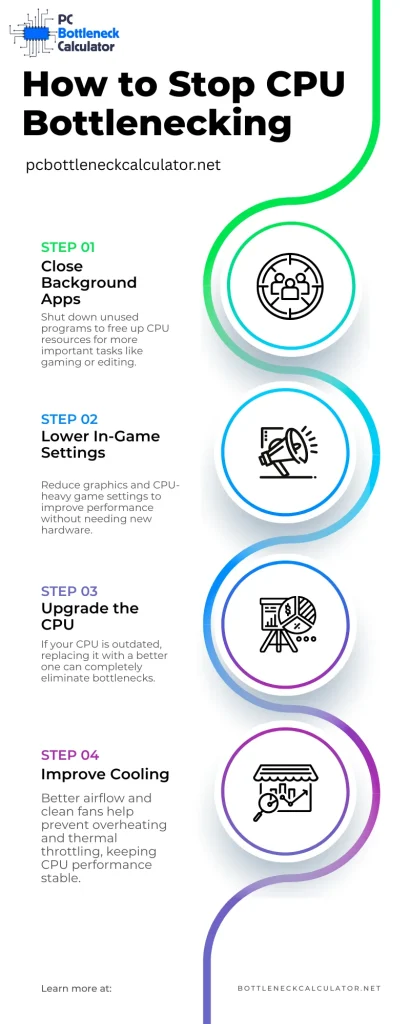
- Close Background Apps
When you open too many programs at the same time, then your CPU has to manage them all. So, you have to close all apps you do not need before you start playing or working. This gives your CPU more space to focus on important tasks.
- Lower Game Settings
Some games are very heavy on the CPU, especially at higher settings. You can make the game easier for your CPU to handle by lowering these settings. You may not even notice a big difference in visuals, but performance will often improve a lot.
- Upgrade Your CPU
If your CPU is too old or too weak, then no trick will fully fix the problem. In this case, the best option is to replace it with a stronger CPU that matches your other parts. This makes everything work better together and removes the bottleneck completely.
- Overclock the CPU
The major thing I want to inform that please do this if it is safe for your system. Overclocking means pushing your CPU to run faster than its normal speed. This can give it more power and reduce bottlenecks. But it is not for everyone, so plz remember that do this only if your CPU supports overclocking, your motherboard allows it, and you have strong cooling.
- Improve Cooling
You can stop a CPU bottleneck by improving your system’s cooling. Because when the CPU gets too hot, then it automatically slows down to protect itself. This is called “thermal throttling,” and it causes lag. To fix this, make sure your computer has enough airflow with clean fans.
Personal Suggestions
From my experience, the best way to deal with CPU bottlenecking is to start with small changes before thinking about buying new parts. Many people jump to upgrades, but often, just closing background apps, cleaning your PC, updating drivers, or lowering game settings can make a big difference. I also suggest that you can check your hardware balance and do not pair a super-strong GPU with an old CPU. If you are building a PC, then try to keep everything in the same performance range.